
Traffic reports can flatter a website. A blog post may bring thousands of visitors and still send no leads. A service page may bring fewer people, yet produce calls, form fills, trials, or purchases. The number alone says very little unless the source, page, and visitor intent are checked together.
A traffic checker helps with that reading. It shows where visits may be coming from, which pages are pulling attention, how traffic changes over time, and where competitors appear to be gaining ground. For owned websites, analytics data can show what visitors do after landing. For competitor websites, most tools provide estimates, which need careful reading rather than blind trust.
This blog compares Ahrefs, Semrush, Ubersuggest, Similarweb, and Google Analytics. Each tool answers a different kind of traffic question. Some are useful for search visibility. Some help with competitor traffic. Google Analytics gives first-party data when tracking is set up properly. The aim here is to help you choose a website traffic checker based on actual work, not tool popularity.
What Is a Website Traffic Checker Tool?
-
It shows how visitors reach a website
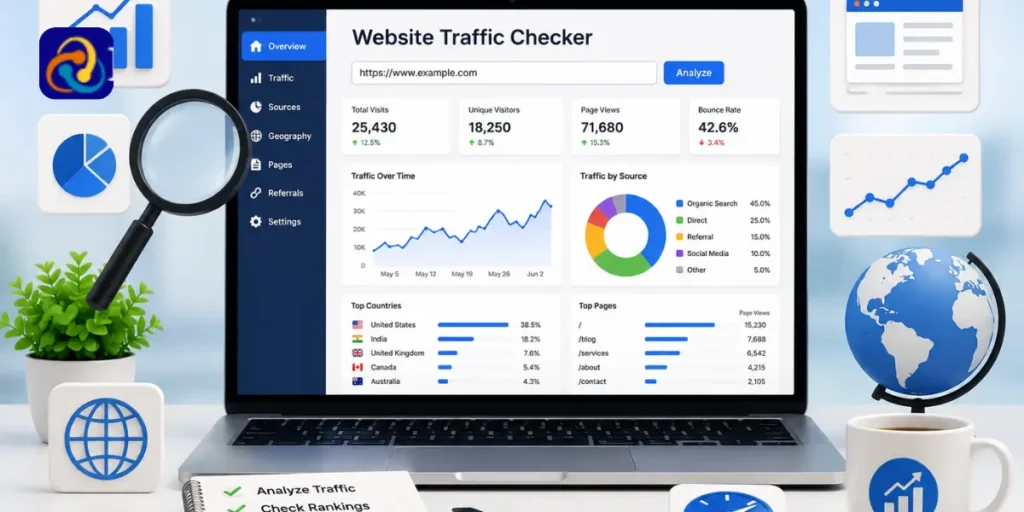
A website traffic checker tool reports or estimates how people arrive on a site. Depending on the platform, it may show organic visits, paid visits, referral traffic, direct visits, social traffic, top pages, country-level visits, and traffic movement across months.
The source of the data needs attention. Ahrefs, Semrush, Ubersuggest, and Similarweb estimate traffic for websites outside your ownership. Google Analytics records first-party data from a site where the tracking code is installed correctly. Those two views should never be read as the same kind of number.
-
It helps separate traffic volume from traffic quality
Large traffic can hide poor performance. A broad blog post may bring casual readers who leave quickly. A comparison page, product page, or local service page may bring fewer people but stronger intent.
A free traffic checker can help with a first look, yet a serious review needs page-level reading. Look at the landing page, source, location, device, engagement, and conversion path. Traffic becomes useful only when it tells you which visitors are worth earning again.
-
It can support competitor and content research
A traffic checker tool can also help teams study competing sites. It may reveal pages gaining search visits, referral sources sending visitors, keywords driving organic reach, and content types pulling attention.
The useful part is the pattern. If competitors gain traffic from comparison pages, tools, guides, or product-led articles, your content plan gets a clearer direction. Copying the page is lazy. Studying why it works is the real advantage.
Why Website Traffic Analysis Matters for SEO and Marketing
-
Traffic sources explain the real movement
Traffic growth can come from many places. A paid campaign can lift visits for a short period. A referral from a strong publisher can bring better-quality users. Search traffic may rise after rankings improve. Direct traffic may grow after brand activity, email campaigns, or repeat visits.
A channel split prevents wrong credit. Without it, a team may praise SEO for traffic that came from ads, or blame content for a drop caused by tracking changes. A traffic checker website report gives the first clue about where the movement began.
-
Organic traffic needs its own view
An organic traffic checker is useful because search visits carry different intent. A user landing through a service keyword, product query, or comparison search may be closer to action than someone clicking from a casual social post.
Total traffic can look strong even when search visibility is weak. The reverse can happen as well. A site may have lower overall visits but stronger commercial pages from organic search. Organic traffic should be reviewed by page type, keyword intent, and trend direction.
-
Trends reveal trouble earlier
One month can be misleading. A spike may come from a campaign, seasonality, a referral mention, or a tracking issue. A slow decline may point to content decay, weaker rankings, indexing problems, lower demand, or stronger competitors.
Three to six months gives a clearer view. The pattern tells you whether traffic is building, fading, or moving because of a short-term event. Early review gives teams time to update content, fix technical issues, or adjust campaigns before revenue feels the hit.
How to Choose the Best Website Traffic Checker Tool
-
Know the data type before judging numbers
Start with a simple question. Are you checking your own site, or are you estimating another website’s traffic?
Google Analytics reports owned-site data when tracking is set up correctly. Competitor tools estimate traffic through their own data models, search visibility, and market signals. Those reports are useful for research, but they are not the same as first-party analytics.
Owned-site analytics is better for conversions, events, landing page behavior, and user journeys. Estimated data is better for competitor review, market sizing, and content planning.
-
Check the channel detail
A traffic report should separate sources clearly. Organic search, paid search, referrals, direct visits, social, email, and display traffic each tell a different story.
A website traffic checker free option may be enough for a quick look, but limited reports can hide the source mix. If budget, content plans, or paid campaigns depend on the data, shallow reporting will not be enough.
-
Review competitor depth
Good competitor data should answer practical questions. Which pages attract traffic? Which countries look active? Which sources appear strong? Which keywords support search growth? Which topics keep gaining visitors?
Competitor estimates should guide the investigation. They should not be used as internal analytics numbers. Their value comes from repeated patterns across the same tool over time.
-
Check reporting needs
A small business may need a clean dashboard. An agency may need exports, recurring reports, and client-ready views. A content team may care about top pages and search growth. A growth team may need channel mix, geography, and competitor comparisons.
A website traffic checker online free search will return many options. The right choice depends on what happens after the report is opened.
-
Match price with actual use
Free tools work for light research. Paid tools make sense when the data affects client reports, market research, SEO planning, paid campaigns, or board-level updates.
A tool should reduce guesswork. Extra data has value only when the team knows how to read it and turn it into decisions.
Quick Comparison Table: 5 Best Website Traffic Checker Tools
Website traffic checker tools compared at a glance
| Tool | Best for | Main strength | Better fit |
| Ahrefs | Search traffic estimates | Keywords, top pages, country trends | SEO teams and content marketers |
| Semrush | Wider SEO review | Traffic sources, rankings, competitors | Agencies and in-house teams |
| Ubersuggest | Simple SEO checks | Basic estimates and keyword ideas | Bloggers and small websites |
| Similarweb | Market intelligence | Channel mix and engagement | Growth teams and researchers |
| Google Analytics | Owned-site data | Events, conversions, landing pages | Website owners and marketers |
A traffic checker tool should match the question. Ahrefs works better when search visibility is the main issue. Semrush is useful when traffic data must connect with audits, keywords, rankings, and competitors. Ubersuggest keeps basic SEO checks easier. Similarweb is stronger for market and channel comparison. Google Analytics is the tool for owned-site behavior.
1. Ahrefs Traffic Checker
-
Where Ahrefs is strongest
The Ahrefs traffic checker is useful when the main question is search visibility. It can estimate organic traffic, paid search activity, keyword-led visits, top pages, and country-level movement.
This works well for SEO teams studying pages that gain visitors through search. A guide may bring informational visits. A comparison page may attract users closer to making a purchase. A service page may bring fewer visitors but stronger intent. Ahrefs keeps the focus on search-led performance.
-
What users can review in Ahrefs
Ahrefs can show estimated organic visits, paid traffic, top pages, ranking keywords, traffic movement, and competing pages. These reports are useful when content planning depends on search opportunities.
A page gaining visits from unexpected keywords may need stronger internal links, a better call to action, or a clearer section around that intent. An organic traffic checker view can turn keyword movement into useful page work.
-
Where Ahrefs may feel limited
Ahrefs estimates traffic for competitor websites. Those numbers are useful for direction, but they are not the same as analytics data from the website owner.
It is stronger for search visibility than visitor behavior. If the question involves leads, events, purchases, form fills, or user journeys after landing, Google Analytics is still needed.
2. Semrush Traffic Checker
-
Where Semrush is strongest
The Semrush traffic checker works well when traffic analysis is part of a wider SEO review. A ranking change may involve keyword movement, backlinks, technical issues, content quality, paid activity, or competitor growth.
Semrush lets teams view traffic data beside audits, keyword reports, rankings, competitor views, and market insights. This is useful when a marketing team must explain why traffic changed, not simply record the change.
-
What users can review in Semrush
Semrush can show traffic overview, traffic sources, top pages, competitor comparisons, market views, organic visibility, paid visibility, and behavior signals.
This gives a wider picture than a basic website traffic checker report. If a competitor is gaining traffic, the platform can point toward search, paid activity, referral sources, or content pages worth checking next.
-
Where Semrush may feel broad
Semrush can feel large for users who need only a quick estimate. There are many reports, and beginners may need time to find the right view.
Its value becomes clearer when several reports are used together. Teams using keyword research, audits, rankings, traffic data, and competitor tracking will benefit more than someone running a single check.
3. Ubersuggest Traffic Checker
-
Where Ubersuggest is strongest
The Ubersuggest traffic checker works well for beginners and smaller teams that need quick SEO direction. It can give a simple view of estimated traffic, organic keywords, top SEO pages, and competitor basics without a heavy setup.
This makes it useful for bloggers, small business owners, solo marketers, and founders. It can show whether competitors gain traffic from guides, service pages, product pages, or keyword-led content.
-
What users can review in Ubersuggest
Ubersuggest can show domain overview, estimated traffic, organic keywords, top SEO pages, competitor keywords, backlink context, site audit context, and content ideas.
A free website traffic checker can be useful when a small business needs a first look before paying for deeper tools. It can help decide which pages need updates, which keywords deserve attention, and which competitors need closer review.
-
Where Ubersuggest may feel lighter
Ubersuggest may not be enough for advanced market intelligence, complex reporting, or detailed channel analysis. It is better for early SEO direction than enterprise-level traffic research.
As a business grows, deeper tools may be needed for historical views, country comparisons, campaign exports, and wider competitor tracking.
4. Similarweb Traffic Checker
-
Where Similarweb is strongest
The Similarweb traffic checker is useful when the question is wider than search traffic. It can help teams read traffic sources, engagement, geography, audience movement, and competitor position across a market.
This is useful for growth teams, agencies, and researchers comparing digital presence. A competitor may look strong in search but weak in referrals. Another may have direct traffic because the brand is better known. Similarweb gives a better view of those channel differences.
-
What users can review in Similarweb
Similarweb can show traffic volume, traffic sources, engagement metrics, top countries, keywords, referrals, search ads, competitor comparisons, and category movement.
A traffic checker website view from this kind of platform should be read as directional insight. It can point toward market patterns and competitor strengths, but it should not replace owned analytics for conversions, revenue, lead quality, or user behavior.
-
Where Similarweb may feel limited
Free access can be limited, and competitor numbers are still estimates. This is normal for external traffic tools.
Similarweb is strongest for comparison, channel mix, and market research. It is not the right tool for checking what users did inside your own checkout, form flow, product page, or lead funnel.
5. Google Analytics Traffic Checker
-
Where Google Analytics is strongest
The Google Analytics traffic checker is essential for websites you own. It records first-party data when tracking is installed correctly. Users can review sessions, users, traffic sources, landing pages, events, conversions, devices, locations, and engagement.
This is where traffic becomes tied to business action. A blog may bring visits without leads. A landing page may receive fewer users and still produce stronger form submissions. A product page may lose mobile conversions after a design change.
-
What users can review in Google Analytics
Google Analytics can show how visitors move after landing. It can reveal which channels bring engaged users, which pages start conversions, which devices underperform, and which sources drive meaningful actions.
This kind of traffic checker data is needed for practical marketing decisions. Search estimate tools can show outside visibility. Google Analytics shows what happened on the website you control.
-
Where Google Analytics may feel limited
Google Analytics cannot check competitor websites. It also depends on the correct setup. Consent settings, duplicate tags, missing events, internal traffic, attribution choices, and poor source tagging can affect reports.
The tool is powerful when configured well. Without a clean setup, the reports can create confusion.
How Linkmetrics Helps Turn Traffic Insights into Link Building Opportunities
-
Traffic analysis shows pages that need support
Traffic reports can point toward pages with potential. A service page may have strong commercial value but low search visits. A comparison article may sit close to stronger rankings. A guide may gain impressions but few clicks. A landing page may trail competitors despite better content.
These pages may need content improvements, internal links, clearer offers, or stronger off-page signals. A traffic checker tool can show where the weak spot appears.
-
Linkmetrics supports guest posting and link building
Linkmetrics becomes useful after those gaps are found. The platform supports guest posting and link building by helping brands look for publisher opportunities connected to their niche and campaign direction.
Traffic data shows which pages need attention. Linkmetrics can support the next step by helping teams find relevant placement options that may strengthen authority and referral visibility.
-
Relevance matters after traffic review
Random links rarely improve serious traffic problems. A SaaS company needs technology or business publishers. A health website needs careful editorial placement. A travel brand needs travel-focused sites. A local business may need regional or industry-relevant mentions.
Linkmetrics is useful when teams want guest posting opportunities that match the topic, audience, and page being supported.
Free vs Paid Website Traffic Checker Tools
-
Free tools work for quick checks
A free traffic checker can help with early research. It may show limited competitor estimates, basic traffic movement, or owned-site activity.
Google Analytics is free for owned websites when tracking is configured correctly. A website traffic checker free option can also help smaller teams decide whether deeper research is worth paying for.
-
Paid tools give deeper insight
Paid tools may provide longer history, exports, filters, country data, channel splits, competitor comparisons, top pages, and reporting views.
These features matter when traffic data affects budgets, client work, SEO planning, market research, or campaign review. Free checks are useful, but limits become clear when the work becomes regular.
-
Pick based on the question
Use Google Analytics when you need owned-site data. Use Ahrefs or Ubersuggest for search-focused estimates. Use Semrush or Similarweb for broader competitor and market review.
A website traffic checker online free tool is useful for a first look. Paid access makes sense when limits block real analysis.
How to Use Website Traffic Checker Tools Properly
-
Separate owned and estimated data
Google Analytics reports owned-site data. Competitor tools estimate external traffic. These reports answer different questions and should not be merged without context.
Estimated data is useful for direction. Owned analytics is needed for decisions tied to leads, revenue, conversions, and user behavior.
-
Review sources separately
Organic, paid, referral, social, direct, and email traffic behave differently. A traffic increase has little meaning until the source is known.
An organic traffic checker can explain search movement, but it will not explain every channel. Source-level review prevents poor decisions based on one large number.
-
Check top pages first
Overall traffic can hide page-level problems. A high-traffic blog may bring no leads. A lower-traffic service page may produce strong inquiries.
Review top pages by source, intent, and business value. This shows which pages deserve updates, internal links, conversion fixes, or off-page support.
-
Compare trends
One month can be misleading. Review three to six months when possible. Watch for seasonality, ranking changes, paid campaign changes, referral spikes, tracking errors, and technical drops.
Trends separate stable growth from short spikes.
-
Use competitor data carefully
Competitor estimates show direction. They do not show the exact truth. Use a traffic checker tool to find patterns, then build your own plan.
A competitor’s top page may work because of brand demand, backlinks, topic depth, or paid support. The reason matters before you copy the idea.
Common Mistakes While Using Traffic Checker Tools
-
Treating estimates as exact data
Competitor tools estimate traffic. Google Analytics reports owned-site activity. Numbers will differ across platforms because data sources and models differ.
Use estimates for research, not final reporting.
-
Looking only at total visits
Total visits can hide weak intent. Review source, landing page, device, location, engagement, and conversion path before judging traffic quality.
The page bringing traffic may not be the page bringing business.
-
Ignoring channel mix
Organic, paid, referral, social, email, and direct visits need separate review. Channel mix explains whether growth is search-led, paid, brand-led, referral-led, or temporary.
Without channel detail, traffic review becomes guesswork.
-
Forgetting setup issues
Analytics reports depend on clean tracking. Duplicate tags, missing events, consent settings, internal visits, referral issues, and poor tagging can distort results.
Before acting on the data, check whether the setup is reliable.
-
Copying competitors blindly
Competitor top pages may not match your audience or offer. Use competitor traffic as a clue, not a content order sheet.
A useful pattern should be adapted to your audience, service, and search intent.
Which Website Traffic Checker Tool Should You Pick?
-
Pick Ahrefs for search visibility
Ahrefs works best for organic and paid search estimates, top pages, keyword-led traffic, and SEO-focused competitor review.
-
Pick Semrush for wider SEO work
Semrush is useful when traffic analysis needs to connect with keywords, audits, rankings, competitors, and reports.
-
Pick Ubersuggest for a simpler start
Ubersuggest suits beginners, bloggers, small websites, and solo marketers needing basic SEO traffic checks.
-
Pick Similarweb for market intelligence
Similarweb helps with channel mix, engagement, audience views, market comparison, and competitor traffic direction.
-
Pick Google Analytics for owned-site data
Google Analytics is best for real visitor data, conversions, events, source reports, and landing page performance.
-
Use Linkmetrics after analysis
Linkmetrics is not a website traffic checker. It helps when traffic analysis reveals pages that need guest posting, relevant backlinks, or stronger off-page support.
Conclusion
Traffic numbers are useful only when they explain the next move. Ahrefs can help with search estimates. Semrush can connect traffic with wider SEO work. Ubersuggest gives a simpler starting point. Similarweb gives market and channel context. Google Analytics shows what visitors did on your own website.
Linkmetrics becomes useful after analysis, when a brand needs guest posting and link building to support pages with traffic potential.
The right tool should help your team explain traffic movement and decide what to improve next. Counting visits is easy. Reading them correctly is where better marketing decisions begin.
FAQs
What is a traffic checker?
A traffic checker reports or estimates website visits, sources, top pages, trends, and audience activity. Some tools estimate competitor traffic, while analytics tools report owned-site data.
Which is the best website traffic checker?
The best choice depends on the task. Ahrefs helps with SEO traffic, Semrush supports wider SEO review, Similarweb helps with market traffic, and Google Analytics reports owned-site data.
Is there a free traffic checker?
Yes, several tools offer limited free checks. Google Analytics is free for owned websites. Other platforms may provide limited estimates before requiring paid access.
Can I check competitor website traffic for free?
Some tools provide limited competitor estimates for free. Full reports with channels, trends, geography, top pages, and competitor comparisons often need paid plans.
Is Google Analytics a traffic checker tool?
Google Analytics works as a traffic checker for websites where tracking is installed. It helps review owned-site visitors, events, sources, landing pages, conversions, and engagement.
Why do traffic numbers differ between tools?
Traffic numbers differ because each tool uses different data sources. Google Analytics records owned-site activity, while competitor tools estimate visits using third-party signals and search visibility models.
How can Linkmetrics help after traffic analysis?
Linkmetrics helps with guest posting and link building after traffic tools reveal pages needing stronger authority, referral support, or niche publisher visibility.